




Best Practices
Follow these industry best practices to ensure your LEXOH system operates securely, efficiently, and reliably.
Security
Access Control
- Principle of Least Privilege: Grant users minimum necessary permissions
- Regular Audits: Review user access quarterly and remove inactive accounts
- Strong Authentication: Require 2FA for all administrative accounts
- Password Rotation: Enforce password changes every 90 days
- Role-Based Access: Use groups instead of individual permissions
Network Security
- Segmentation: Isolate IoT devices on separate VLAN
- Firewall Rules: Allow only required ports and protocols
- VPN Access: Use VPN for remote administration
- Certificate Pinning: Prevent man-in-the-middle attacks
- Regular Scans: Perform vulnerability assessments monthly
Data Protection
- Encryption at Rest: Enable AES-256 for stored data
- Encryption in Transit: Use TLS 1.3 for all communications
- Key Management: Rotate API keys every 6 months
- Data Retention: Delete old footage per policy (GDPR compliance)
- Secure Backups: Encrypt backups and store offsite
⚠️ Critical: Never share API keys in emails, chat, or version control. Use environment variables or secrets management.
Network Architecture
Recommended Network Layout
Internet
   │
   ├─ Firewall/Router
   │
   ├─ VLAN 10: Management (192.168.10.0/24)
   │   └─ Admin workstations, servers
   │
   ├─ VLAN 20: Access Control (192.168.20.0/24)
   │   └─ Card readers, door controllers
   │
   ├─ VLAN 30: Cameras (192.168.30.0/24)
   │   └─ IP cameras, NVR
   │
   └─ VLAN 40: Parking (192.168.40.0/24)
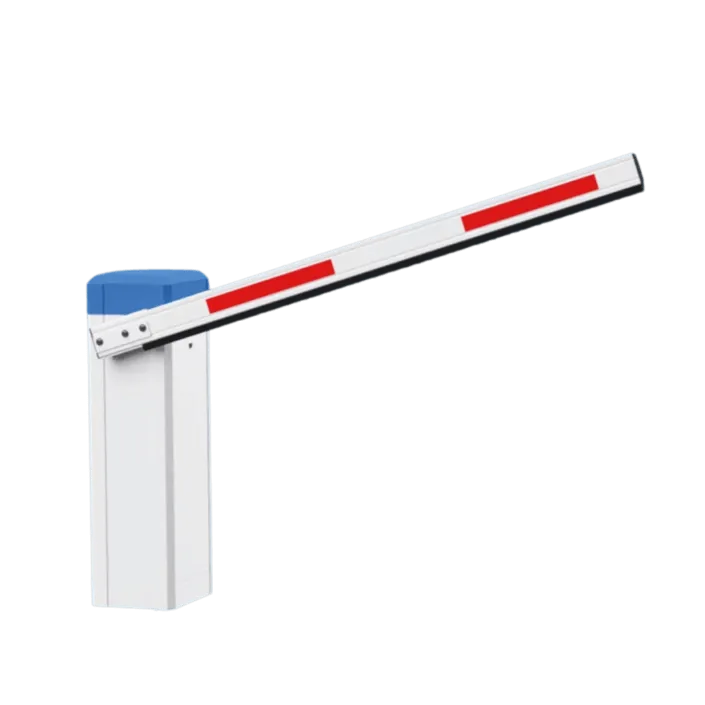
       └─ Barriers, kiosks, sensors
Bandwidth Planning
| Device Type | Avg Bandwidth | Peak Bandwidth |
|---|---|---|
| Access Control | < 1 Kbps | 50 Kbps |
| 1080p Camera | 2-4 Mbps | 8 Mbps |
| 4K Camera | 8-12 Mbps | 25 Mbps |
| Parking System | 100 Kbps | 1 Mbps |
Access Control
Avg Bandwidth:
< 1 Kbps
Peak Bandwidth:
50 Kbps
1080p Camera
Avg Bandwidth:
2-4 Mbps
Peak Bandwidth:
8 Mbps
4K Camera
Avg Bandwidth:
8-12 Mbps
Peak Bandwidth:
25 Mbps
Parking System
Avg Bandwidth:
100 Kbps
Peak Bandwidth:
1 Mbps
💡 Formula: Total Bandwidth = (Cameras × 4 Mbps) + (Other Devices × 0.5 Mbps) + 20% overhead
Performance Optimization
Camera Optimization
- Adjust Bitrate: Use variable bitrate (VBR) for efficient storage
- Frame Rate: 15 FPS sufficient for most scenarios (not 30 FPS)
- I-Frame Interval: Set to 2-4 seconds for better seeking
- Region of Interest: Higher quality for important areas
- Night Mode: Enable IR cut filter auto-switch
Database Optimization
- Archiving: Move events older than 90 days to cold storage
- Indexing: Create indexes on timestamp and device_id fields
- Partitioning: Partition event tables by month
- Cleanup: Purge temporary logs weekly
API Usage
- Batch Requests: Group multiple operations into single API call
- Caching: Cache device lists locally (refresh every 5 min)
- Pagination: Request 100 records per page maximum
- Webhooks: Use webhooks instead of polling for events
- Rate Limiting: Implement exponential backoff on 429 errors
Maintenance Procedures
Preventive Maintenance
| Frequency | Tasks |
|---|---|
| Daily |
• Check device online status • Review critical alerts • Verify backup completion |
| Weekly |
• Test access credentials • Review access logs for anomalies • Check storage capacity • Test video playback |
| Monthly |
• Clean camera lenses • Update firmware • Test UPS batteries • Review user permissions • Physical inspection of devices |
| Quarterly |
• Full system audit • Penetration testing • Disaster recovery drill • Documentation update • Training refresher |
Daily
Tasks:
• Check device online status
• Review critical alerts
• Verify backup completion
Weekly
Tasks:
• Test access credentials
• Review access logs for anomalies
• Check storage capacity
• Test video playback
Monthly
Tasks:
• Clean camera lenses
• Update firmware
• Test UPS batteries
• Review user permissions
• Physical inspection of devices
Quarterly
Tasks:
• Full system audit
• Penetration testing
• Disaster recovery drill
• Documentation update
• Training refresher
Change Management
- Document all changes before implementation
- Test changes in staging environment first
- Schedule maintenance windows during low-traffic periods
- Notify stakeholders 48 hours in advance
- Keep rollback plan ready
- Monitor system for 24 hours post-change
Disaster Recovery
Backup Strategy (3-2-1 Rule)
- 3 Copies: Production data + 2 backups
- 2 Media Types: Local storage + cloud storage
- 1 Offsite: LEXOH Cloud automatic backup
Recovery Time Objectives (RTO)
- Critical Systems: < 1 hour (access control, alarms)
- Standard Systems: < 4 hours (cameras, parking)
- Non-Critical: < 24 hours (reports, analytics)
Emergency Contacts
Maintain an updated emergency contact list:
- LEXOH Support: support@lexoh.com (24/7)
- Network Administrator
- Security Manager
- Facility Manager
- Key vendors and contractors
Compliance & Standards
Industry Standards
- ISO 27001: Information security management
- GDPR: Data protection (EU)
- CCPA: Consumer privacy (California)
- HIPAA: Healthcare data (if applicable)
- PCI DSS: Payment card security
Documentation Requirements
- Network diagrams (updated quarterly)
- User access matrix
- Incident response plan
- Privacy policy and data handling procedures
- Change log and audit trail
Quick Wins
Implement these easy improvements today:
- ✓ Enable two-factor authentication
- ✓ Set up automated daily backups
- ✓ Configure critical alerts (email/SMS)
- ✓ Review and remove inactive users
- ✓ Update all device firmware to latest version
- ✓ Enable motion detection on all cameras
- ✓ Test disaster recovery procedure
- ✓ Document your network topology